March - April 2026
Founding Product Designer
GoBlue Global
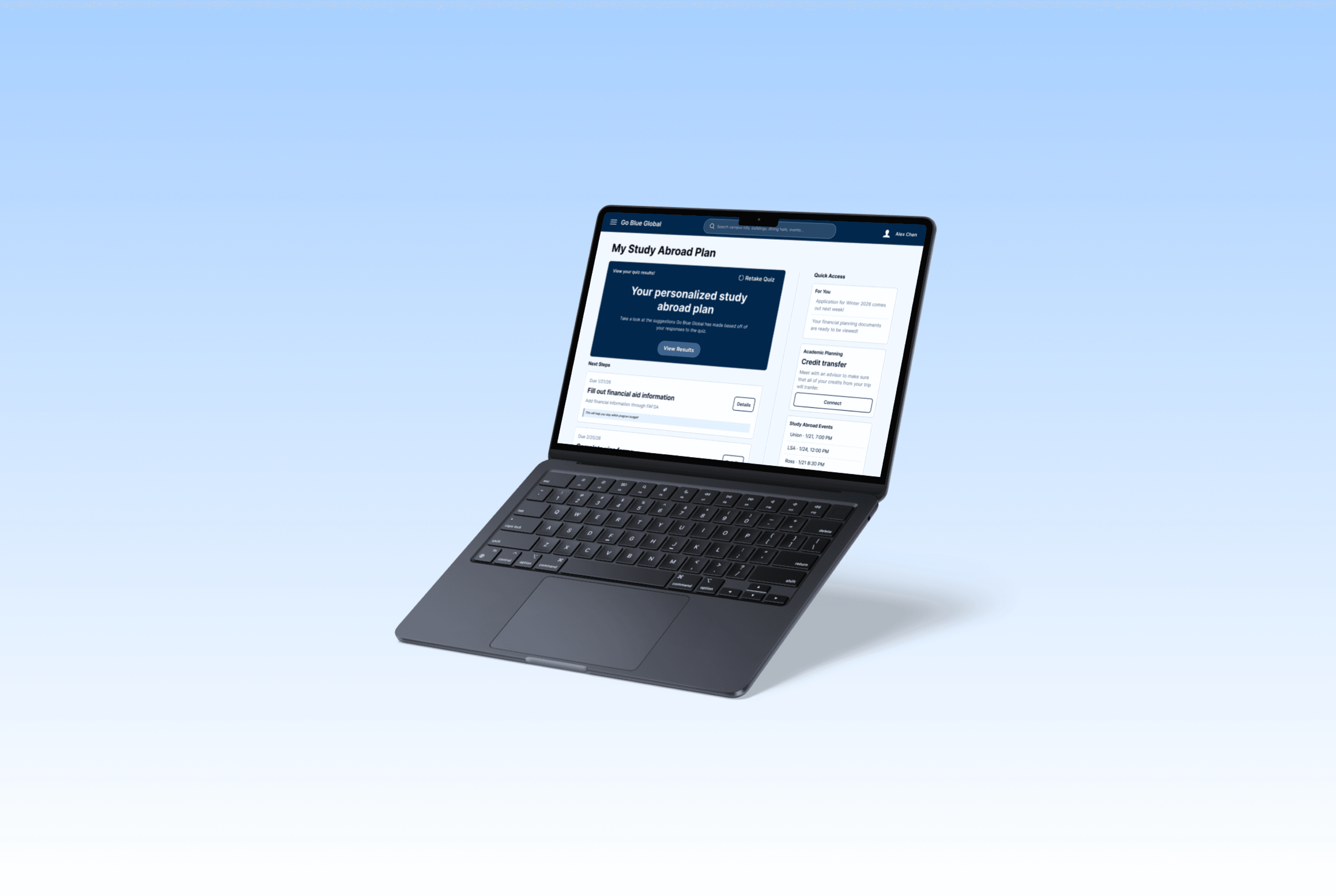
GoBlue Global is a study abroad planning tool that helps students find, compare, and plan programs in one place. It focuses on making the process less overwhelming by guiding users through a personalized experience.
The Problem
Students who are interested in studying abroad need a centralized platform that provides easy access to program information and personalized recommendations, so they can confidently plan their semester without switching between multiple tools.
This problem was defined through user interviews, where students described relying on spreadsheets, multiple websites, and advisor emails to piece together their plans.
Key Pain Points
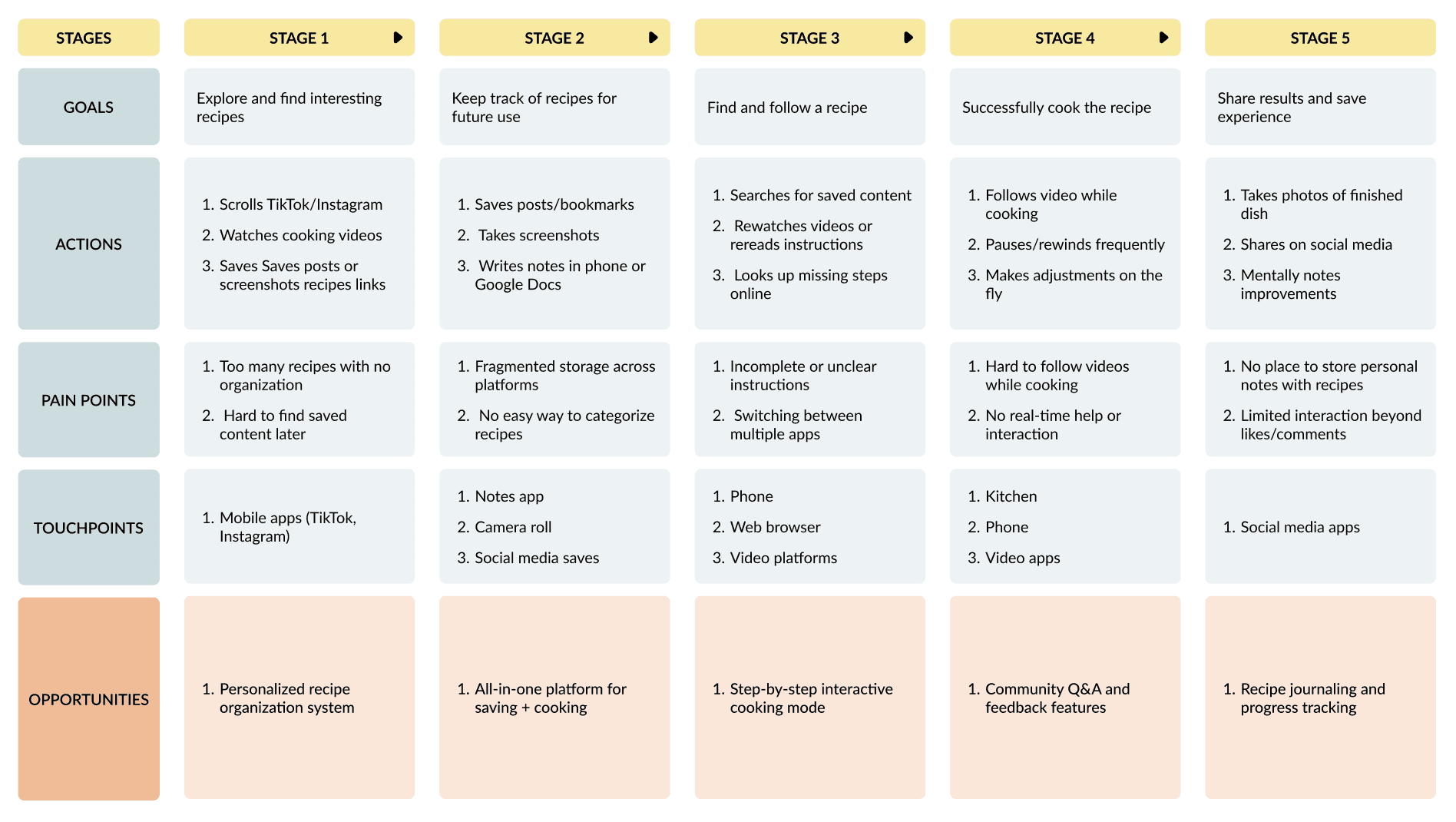
Information is fragmented across multiple platforms
Hard to compare programs side-by-side
Unclear credit transfer and academic fit
Overwhelming number of choices without guidance
Objectives
Create a guided starting point (personalized quiz)
Enable easy comparison of programs
Provide clear academic/credit insights
Support end-to-end planning in one place
The Process
I focused on reducing cognitive load through clear information hierarchy, progressive disclosure (showing details when needed, and guided + flexible pathways (quiz vs. search)
Design System
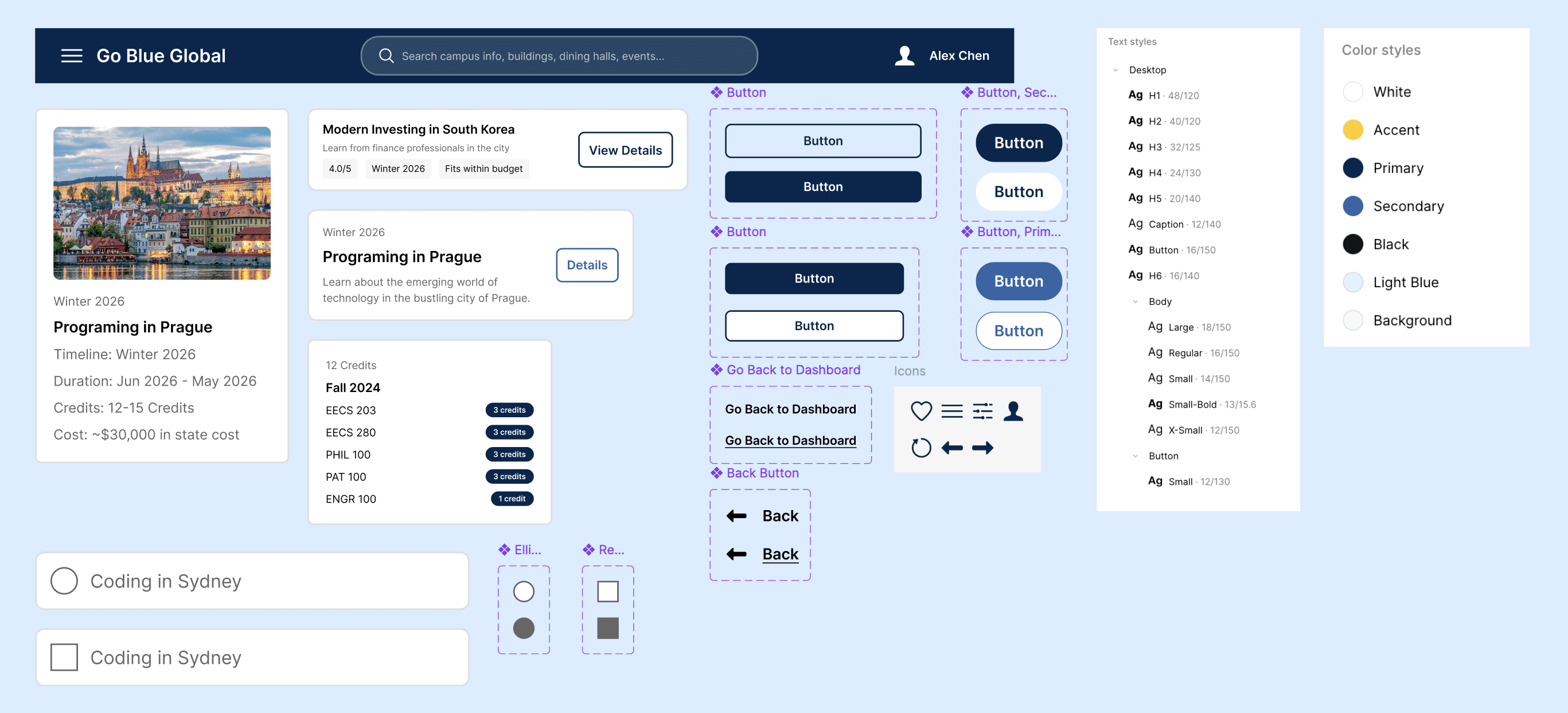
Color: Blue for primary actions (trust, clarity), neutral background for readability
Typography: Structured hierarchy to support scanning
Components: Reusable cards for programs, consistent buttons, and navigation patterns
Interaction patterns: Save, compare, and filter across flows
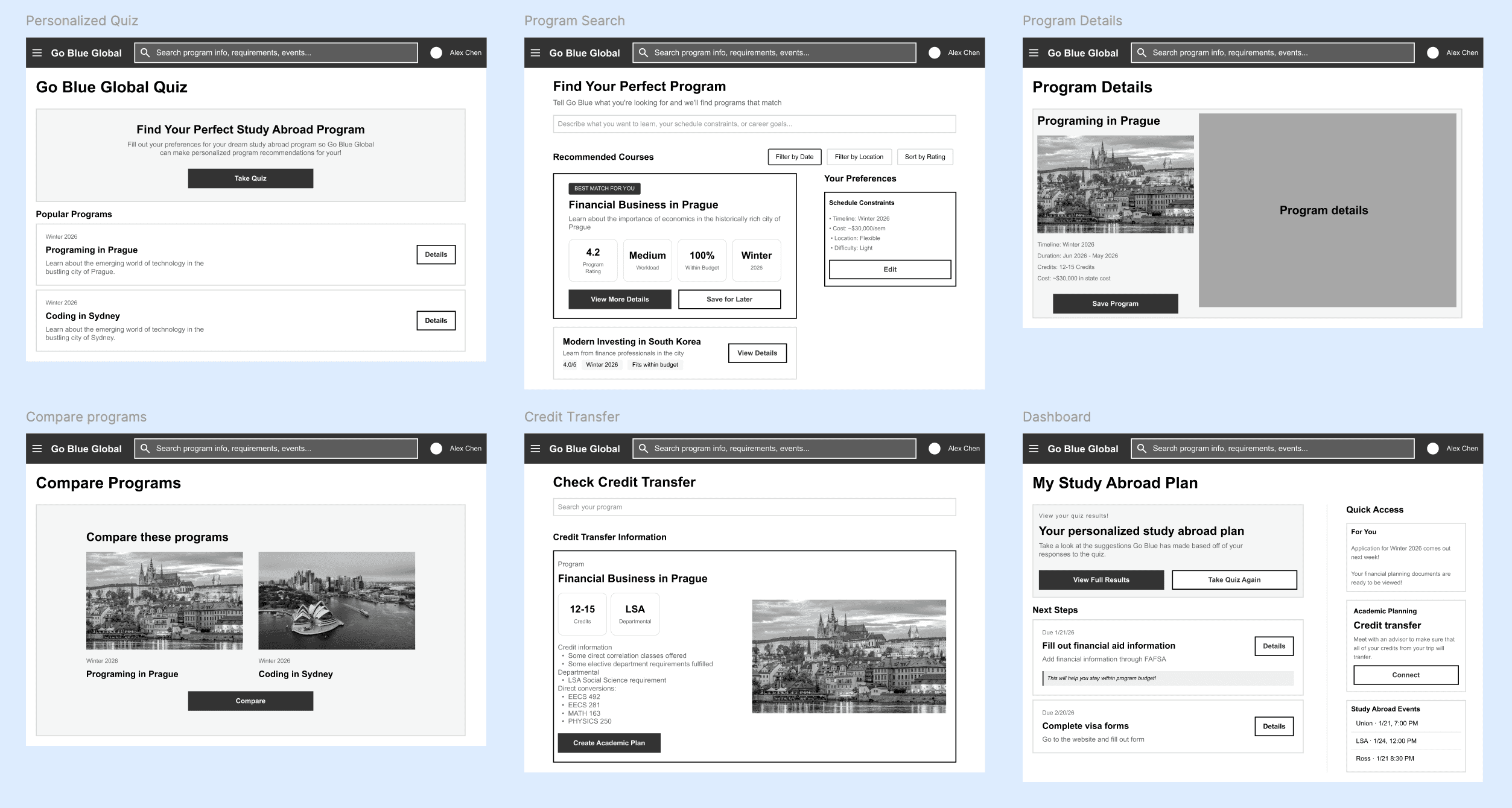
Lo-fi wireframes
Quiz entry point vs. direct search
Program cards and comparison layout
Credit transfer information structure
1
Navigation clarity
Added clearer entry points and dashboard access
2
Program comparison
Expanded from static view to interactive, side-by-side comparison
3
Information hierarchy
Broke dense content into scannable
4
User flow gaps
Eliminated dead ends by adding back navigation and clear next steps
5
Feature depth
Expanded flows (filters, compare, credit transfer) to show real interaction
The Final Designs
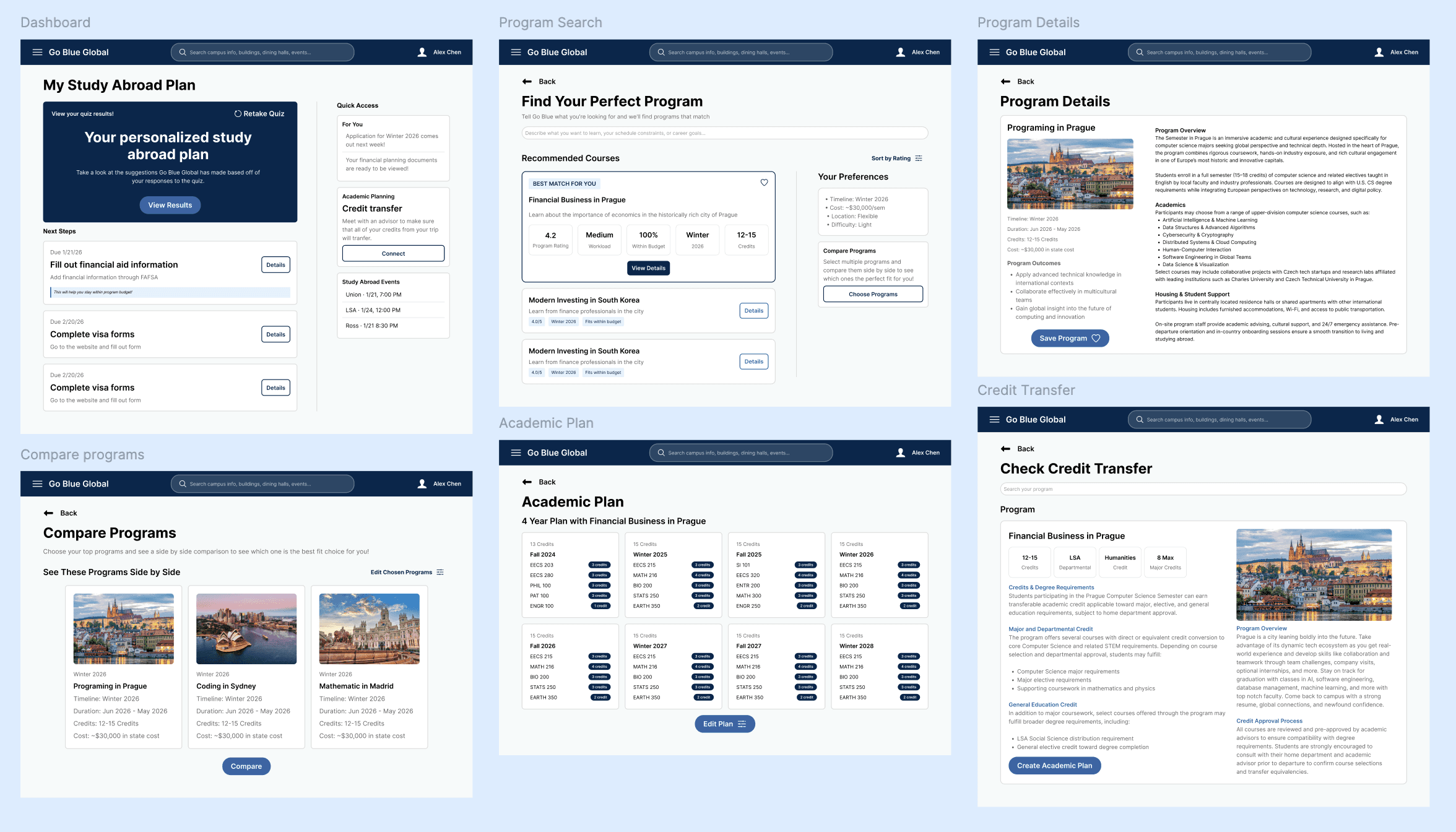
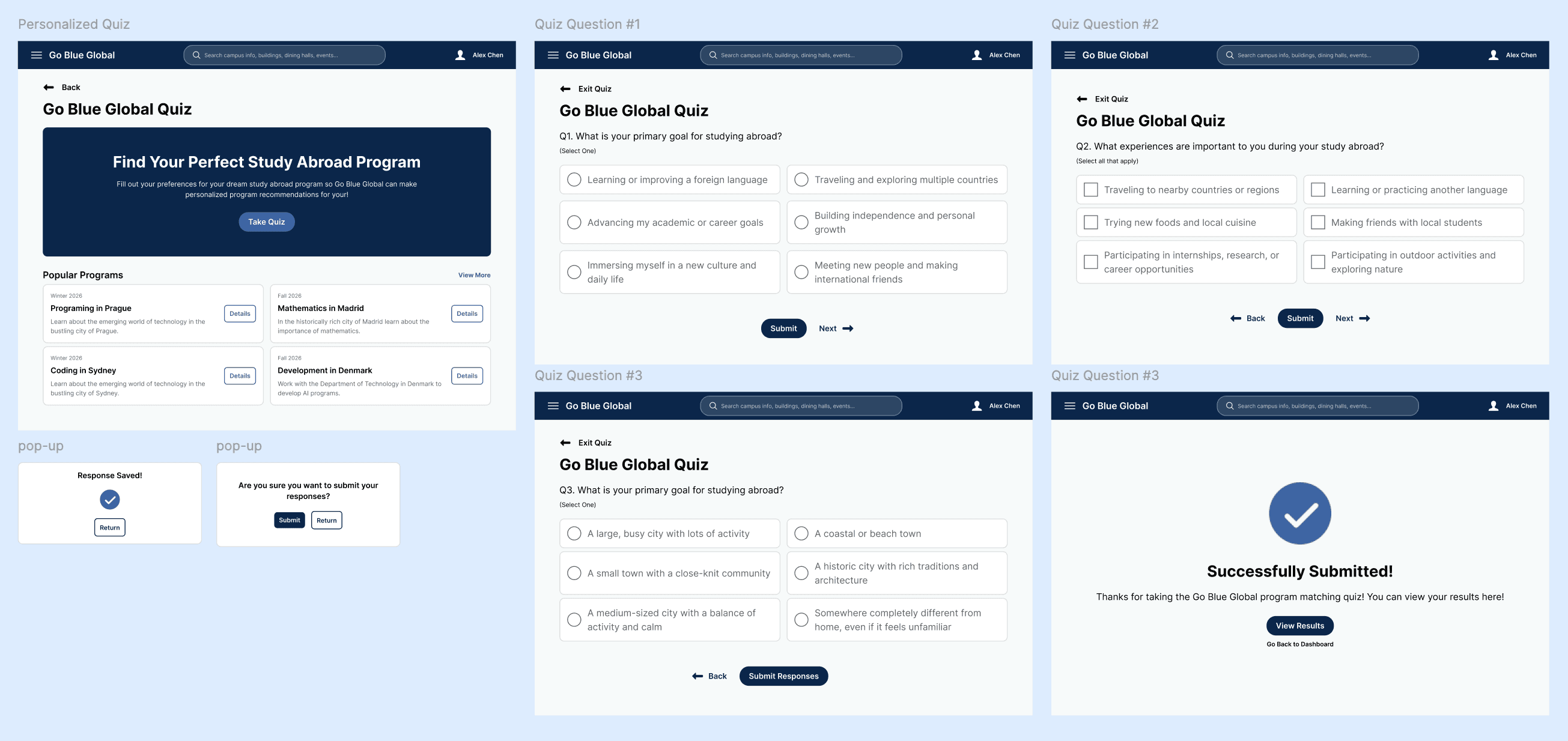
Refined layouts with better spacing, clearer interactions, and a more cohesive system across all screens.
1
Guides users through discovery (quiz)
2
Supports informed decisions (comparison + details)
3
Reduces uncertainty (credit transfer clarity)
4
Helps users stay organized (dashboard)
Reflection
Designing this product reinforced how structure and simplicity drive user confidence.
Next Steps
Expand filtering and recommendation logic
Integrate real program + academic data
Improve onboarding and entry points
Conduct usability testing on quiz and dashboard flows
Key Learnings
Guidance is just as important as functionality—users don’t just need tools, they need direction
Strong information architecture is critical for complex decision-making products
Iteration based on feedback significantly improves usability and clarity
Designing full flows (not just screens) reveals real usability gaps